What it does
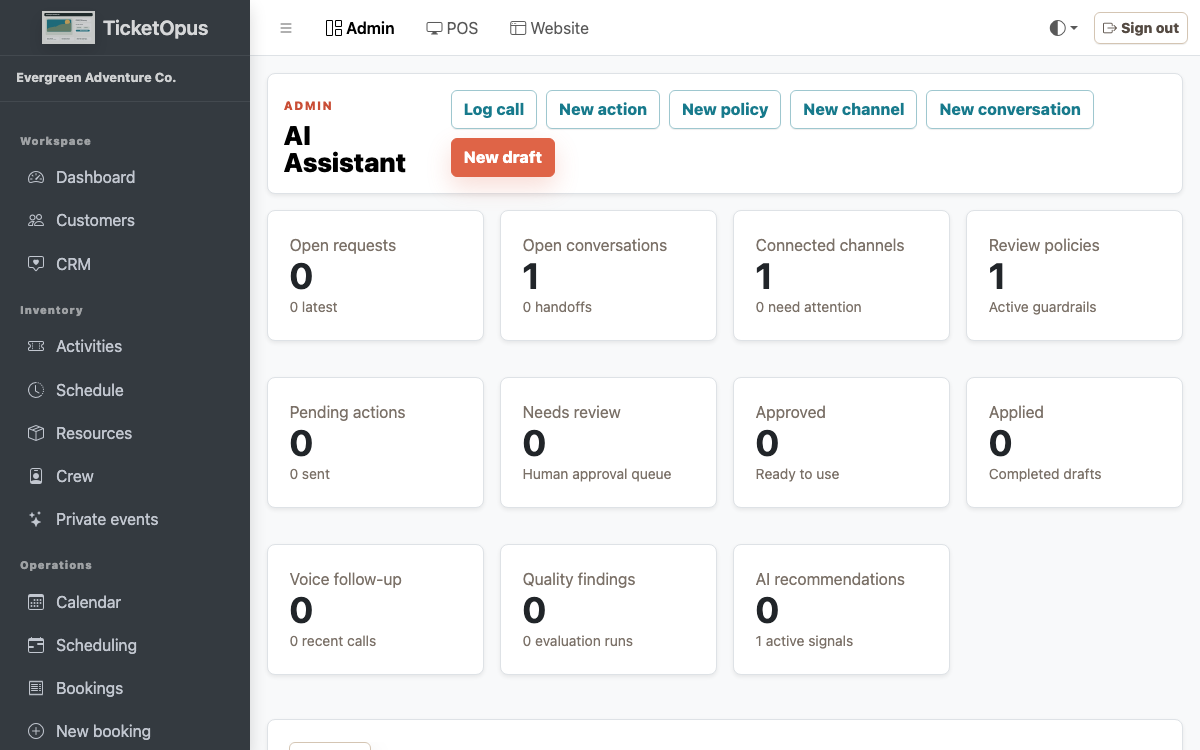
Connect guest communication with live booking context so automation helps without hiding operational risk. TicketOpus tracks customer profiles, marketing consent, segments, campaigns, review responses, AI conversations with sentiment and confidence scoring, staff handoff, cart recovery, automatic reminders and review requests, one-click unsubscribe from marketing email, self-service booking changes, and operator recommendations — so guests get answers and you get bookings. From their manage-booking link, guests review a change before they move or cancel, under the reschedule window and fee you set.
Sound familiar?
Problems you shouldn't have to live with
PainGuests email you simple questions — 'Is there availability Saturday?' — and wait hours for a reply you could automate.
PainYou know you're losing bookings from abandoned carts but have no way to follow up.
What you get
How this helps your business
WinAI-assisted replies can use selected availability, pricing, and policy context when a provider is configured.
WinConfigured recovery workflows can bring guests back to an unfinished booking.
WinWhen a question needs a human, the conversation can hand off to staff with the available context.
See how it works for your business.
What's included
Everything you get
Customer profiles
Campaigns and journeys
Automatic reminders
Review operations
AI inbox
Self-service editing
Operator recommendations
How it works
The workflow, step by step
- Capture consent
- Create segments
- Review conversations
- Approve AI actions
- Measure outcomes
Keep exploring
Related features
Ready to try it?