What it does
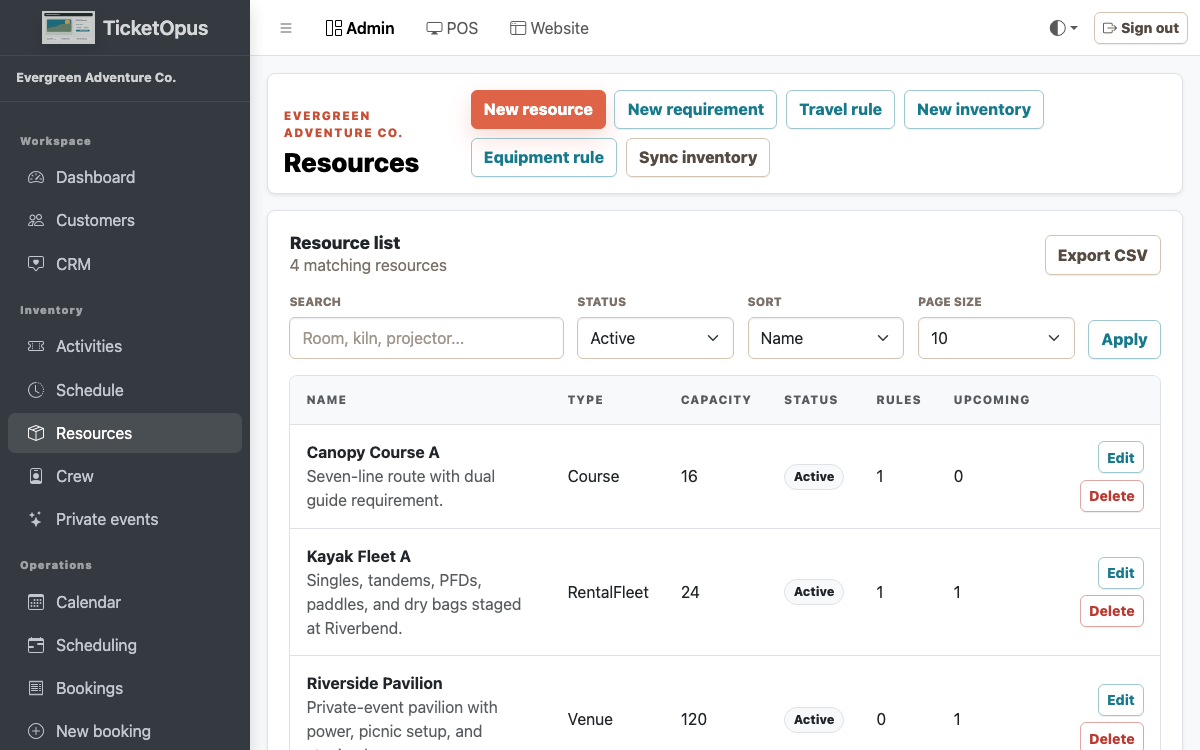
Model the messy parts of real-world operations: resource conflicts, rental turns, pickup logistics, seats, routes, and crew context. Catalog tools cover activity setup, recurring schedules with holiday and blackout dates, ticket types and packages you can retire without losing their history, session and ticket-type pricing, paid add-ons, resource requirements, pooled assignment, whole-room holds and maintenance blocks, rental buffers with damage workflows, fleet assets, route stops, pickup manifests, and seat assignment — all connected to a single capacity engine.
Sound familiar?
Problems you shouldn't have to live with
PainYour calendar shows a time slot is open, but the room, vehicle, or equipment is already booked by another activity.
PainRental returns, damage tracking, and equipment availability live in a spreadsheet someone forgets to update.
What you get
How this helps your business
WinPrevent resource and capacity conflicts automatically across all activities.
WinTrack rentals from check-out through return and damage review, with any damage charge recorded against the rental.
WinManage routes, seats, pickups, and fleet assignments alongside your booking schedule.
See how it works for your business.
What's included
Everything you get
Catalog setup
Capacity holds
Dynamic pricing
Blackout dates
Resource requirements
Maintenance blocks
Rental inspections
Seat maps and pickups
How it works
The workflow, step by step
- Build catalog
- Create schedules
- Attach resource rules
- Assign fleet or equipment
- Review manifest
Keep exploring
Related features
Ready to try it?